

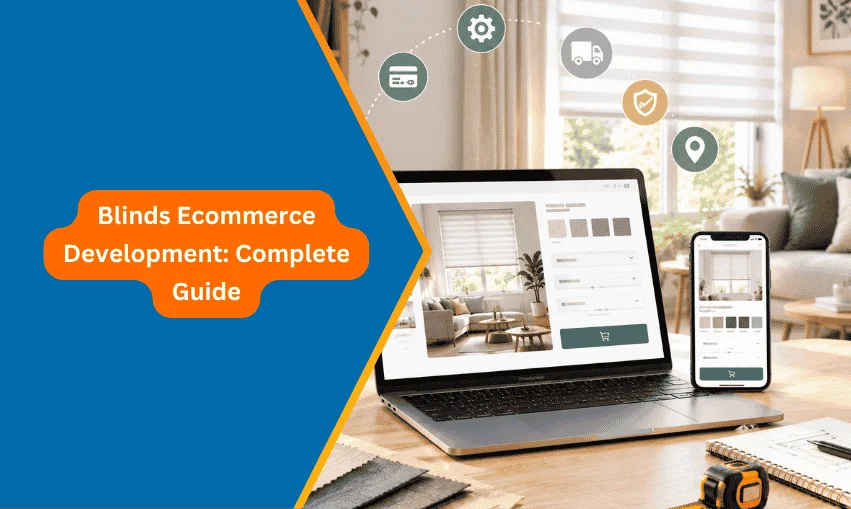
A lot of blinds businesses that have done well through showrooms, installers or trade accounts are now looking at selling online. It makes sense, but blinds aren’t a simple product to put on a website. A customer needs a width, a height, a fabric, a mount type and a control option before they can even see a price, and the store has to handle all of that without a salesperson in the room.
Below is a step-by-step plan based on how we approach building blinds store builds at Icecube Digital. It covers how to sell blinds online from the first bit of preparation to the checks we run before a blinds online store goes live.

See How Our Experts Can Drive More Traffic to Your Website!
SEO: Boost your rankings and drive more organic traffic today!
Website Design/Development: Create a stunning website that converts visitors into customers.
Paid Media: Reach the right audience at the right time with expertly managed paid media.
What Your Blinds Online Store Needs Before the Build Starts
When a blinds store build runs late, it’s often not the development work holding it up. It’s the price list that isn’t ready, the option rules that only exist in someone’s head, or product photos that turn up halfway through. An experienced blinds website design and development company will ask for these three things before any design work starts, so it pays to get them sorted early.
Product Range, Fabrics and Option Lists
Decide first which blind types you’re launching with. Roller, vertical, Roman, zebra, faux wood and motorized blinds each come with their own set of options, so it’s easier to work through them one type at a time.
For every type, note down the fabrics or finishes, the options (control side, cord or motor, inside or outside mount, valance style) and any limits. A spreadsheet is fine for this. Your development team just needs to see every option, which products it applies to and when it shouldn’t show up.
Price Lists and Width and Height Grids
Most suppliers send blinds pricing as width and height grids, sometimes called width and drop grids. Before handing them over, check that every grid uses the same unit, that minimum and maximum sizes are listed for each product, and that it’s clear how sizes between two bands get priced. Most businesses round up to the next band. That’s fine, but write the rule down, because the store can’t guess it.
Do the same for add-ons. Motors, remotes, upgraded valances and installation each need either a fixed price or a surcharge based on size.
Photography, Room Images and Brand Assets
Customers can’t feel the fabric through a screen, so your photos carry more weight online than they ever would in a showroom. You’ll want room shots with the blind installed, close-ups that show the texture, and a swatch image for every color. Get the color right. If a gray swatch looks warmer online than it does in someone’s living room, you’ll probably be dealing with a return.
Have logo files, brand colors and fonts ready too, so the design work isn’t held up.
Step 1: Choose the Right Platform for Your Blinds Online Store
Shopify, WooCommerce and Magento all power successful blinds stores, so there isn’t a wrong answer here, just a better fit. That fit comes down to how big your catalog is, how complicated your pricing gets and what systems you already run.
| Platform | Best Suited For | How Blinds Pricing Is Usually Handled |
|---|---|---|
| Shopify | Brands that want a fast launch and light maintenance | Pricing apps or a custom Shopify app |
| WooCommerce | Businesses on WordPress or planning a lot of content | Plugins or custom development |
| Magento | Large catalogs, multiple stores and customer-group pricing | Custom options or a dedicated module |
Shopify for Blinds and Curtains Stores
Shopify is a good match for blinds brands that want to get online quickly without taking on much technical upkeep. Hosting, security and updates are looked after for you. For most of what a blinds ecommerce store needs, like price calculators, product options and sample ordering, there’s already an app. If your pricing logic outgrows what the apps can do, Shopify development for blinds and curtains stores can deliver a custom app that manages it while the store stays easy to run.
WooCommerce for Content-Led Blinds Businesses
If you’re already on WordPress, or you plan to publish a lot of content like measuring guides and room ideas, WooCommerce is worth a close look. You own the hosting and the code, and pricing can be set up with plugins or built custom. Businesses with their own way of quoting and selling often like that level of control.
Magento for Large Catalogs and Multi-Store Brands
Magento was built with large catalogs in mind. It handles big fabric ranges, separate stores for different regions and pricing by customer group without much fuss. We usually see it chosen by established blinds brands and manufacturers who expect their online range to keep growing.
Step 2: Set Up Blinds Products, Options and Pricing Rules
This is the part of the build where a blinds store is most different from a normal online shop. No two orders are the same, so the store needs clear rules for how products are grouped, priced and put together.
Structuring Blinds and Curtains Categories
Set up categories around how people actually shop. Most start with a blind type, but plenty browse by room, like the bedroom or kitchen, or by what they need, like blackout or motorized. Blind types usually work best as the main categories, with filters for color, fabric, light control and price underneath. If you’re running a curtains online store alongside your blinds, give curtains a separate category tree. Their options work differently, and mixing the two gets confusing fast.
Width, Height and Fullness Pricing
Blinds pricing usually starts with a width and height grid, with add-ons on top. Curtains are a bit more involved. Fullness, lining and heading style all change how much fabric goes into the order, so they change the price as well.
The store has to read your grid, pick the right band for each size and add surcharges correctly. It also needs to be easy to update when your supplier changes prices. Blinds By Post is a good example of what WooCommerce development for made-to-measure blinds can do: each product is linked to its own price grid, and the team updates prices from Google Sheets without logging into the website backend.
Option Rules for Valid Size and Fabric Combinations
Some combinations just can’t be made. A fabric might only come up to a certain width, a motor might only work with certain fabrics, or a valance might not suit an inside mount. Option rules stop customers from ordering something your factory would have to send back.
Good rules hide what doesn’t apply and explain clearly when a size is out of range. The customer should be steered toward something that works long before they reach checkout.
Step 3: Design Product Pages That Help You Sell Blinds Online
In a showroom, an advisor answers questions and puts the customer at ease. Online, the product page has to do that job, even when a single blind comes with a dozen options.
Swatches, Room Photos and Spec Details
Put the fabric swatches right beside the options, so clicking a color changes the main image. Below that, add room photos, close-ups and a spec section with fabric type, light control, size limits, care instructions and lead time. Most of the questions that would otherwise come in by phone or email get answered right there.
Built-In Measuring and Fitting Guides
A lot of remakes in this business trace back to a measuring mistake. A short measuring guide placed next to the size fields, rather than on a separate page, helps customers get it right the first time. It should explain the inside and outside mount, show where to measure (the width at the top, middle and bottom of the window), recommend a steel tape and ask for sizes to the nearest 1/8 inch. A simple diagram or a short video usually does a better job than a long paragraph.
Units matter as well. For one motorized blinds retailer we moved to WooCommerce, a custom plugin lets customers enter sizes in mm, cm or inches and converts everything to one unit, so the price is right whichever unit they use.
Mobile-First Layouts for Shoppers Measuring at the Window
Plenty of people measure with a tape in one hand and a phone in the other. Size fields need big tap targets and a number keypad, the running price should stay on screen as options change, and the add-to-cart button should be easy to reach with a thumb. Configurator pages tend to be the heaviest on the site, so check they load quickly on mobile data.
Step 4: Add a Blinds Price Calculator, Sample Ordering and Payments
Once products and pricing are set up, the next job is the buying journey itself, from the first option a customer picks to the moment they pay.
Real-Time Pricing for Made-to-Measure Blinds
A blinds price calculator updates the price as customers enter sizes and pick options. There’s no request-a-quote form and no waiting on an email reply. On Shopify this runs through a pricing app or a custom app, on WooCommerce through plugins or custom code, and on Magento through custom options or a dedicated module.
Products with a lot of choices work better with a guided configurator that takes customers through each step in order: product, fabric, size, control, hardware and mount type. The Visor store shows how Magento 2 development for blinds brands can support a live product configurator built this way.
Free Fabric Sample Ordering Flow
For many customers, especially those looking at premium fabrics, a sample comes before the order. Good fabric sample ordering lets them add samples from any product page into a separate sample cart, puts a sensible cap on how many they can request and asks for an email so you can follow up once the samples arrive. Someone who has ordered samples is already halfway to buying, so that follow-up matters.
Payment Gateways, Shipping Rules and Lead Times
Offer the payment methods your customers already use, such as PayPal and Stripe. For bigger orders, like motorized blinds for a whole house, a buy now, pay later option can help. Shipping rules need to account for length too, since long headrails often have to go by freight rather than standard parcel.
Show lead times on the product page, in the cart and in the confirmation email. People are generally fine waiting for a made-to-measure product as long as they know how long it’ll take.
Step 5: Connect Your Blinds Ecommerce Store to Production
An online order is only useful if it reaches your factory or supplier with every detail right. This is the step that links the website to the way you already make and ship products.
Sending Order Specs to Your Factory or Supplier
Each order needs to carry the full spec: width, height, fabric, color, control side, mount type and any add-ons. How it gets to production depends on your setup. Smaller businesses often work from order emails or production sheets. Others use CSV exports, and larger operations send orders straight into the manufacturer’s system through an API or EDI connection.
Agree on the format with your production team before the build starts. When the sheet is consistent, your team spends far less time chasing missing details.
Inventory, ERP and Shipping Integrations
If a fabric is discontinued or out of stock, the store should know about it so nobody can order it. Linking the store to your inventory system, ERP or accounting software keeps stock, orders and invoices in step with each other. Shipping integrations can create labels and send tracking emails on their own, which starts saving real time once order numbers pick up.
Step 6: Test and Launch Your Blinds Online Store
Testing a blinds store takes more care than testing most online shops. There are thousands of possible size and option combinations, and a small pricing error can easily go unnoticed if nobody checks for it.
Testing Every Price and Option Combination
Nobody can test every size, but you can test the ones most likely to go wrong. Try sizes right at the edges of each price band, the smallest and largest sizes for every product, and each add-on on its own and alongside others. Check the store’s prices against your supplier’s price list line by line. Then place a few orders and make sure what reaches production matches what the customer actually chose.
Checkout, Speed and Mobile Testing
Run real test orders through every payment method on both desktop and mobile. Use addresses from different states to make sure your shipping rules work wherever you deliver. And check the speed of your configurator and product pages, since they’re usually the slowest on the site.
SEO Basics to Have Ready on Launch Day
A few SEO basics should be in place before launch. Each category and product page needs its own title and meta description. Filter URLs should use canonical tags so they don’t compete with your main category pages. Submit your XML sitemap to Google Search Console, and make sure analytics and conversion tracking are working from day one so you can see what’s bringing in sample requests and orders.
Launch-day SEO is only the starting point, and ongoing work builds on it over time. On the Visor store, for example, the published results show a 74% increase in organic sales and a 45% increase in organic clicks.
What Can Push a Blinds Store Launch Beyond 8 Weeks
Most of the blinds stores we build go live inside that 4 to 8 week window. Some take longer, and it’s usually for one of a handful of reasons.
The most common one is catalog size. If you’re launching with a few hundred fabrics, each one needs photos, a swatch image and product data, and that takes time on any platform.
Configurators come next. A simple price calculator for roller blinds doesn’t take long to set up. One that handles motor options, fabric restrictions and separate pricing for every fabric group takes longer to build and a lot longer to test. This blinds ecommerce case study on Visor gives you a good idea of what the finished result looks like on a live store.
Migrations add work too. Moving from an older platform means bringing across products, customer accounts and order history, then checking nothing went missing on the way.
Then there are integrations. Sending orders straight into a manufacturer’s system or an ERP needs development and testing on both ends, so your supplier’s team has to be involved. And if you want separate stores for different regions or languages, each one needs its own setup.
None of this is a problem if you know about it early. It’s far easier to plan a longer project from day one than to explain a delay halfway through.
Conclusion
The businesses that sell blinds online well have one thing in common: their store is built around how their products are actually priced, made and delivered. A generic setup struggles with made-to-measure orders, which is why the early planning matters so much.
In our experience, the stores that launch fastest are the ones where product data and pricing rules are sorted before the build starts. The configurator, product pages and production sheets all depend on that groundwork, so it’s worth getting right before your blinds online store goes into development.
Quick Launch Checklist
- One spreadsheet with every blind type, fabric and option, plus the rules for when each option is allowed
- Price grids in a single unit, with minimum and maximum sizes and a clear rounding rule
- A platform picked to suit your catalog size and pricing setup
- Swatches, room photos and a measuring guide sitting right next to the size fields
- Live pricing, a sample cart and lead times shown before checkout
- A production sheet format your factory has signed off on
- Test orders at the edges of each price band, on desktop and mobile
- Page titles, meta descriptions, a sitemap and conversion tracking ready on launch day
Once the store is live, the focus shifts to getting the right people onto it, and that’s where a steady marketing plan starts to pay off.
Planning a new blinds online store or rebuilding the one you have? Contact Icecube Digital to talk through your products, pricing and platform.
Frequently Asked Questions
Can I launch with a few blind types and add curtains later?
Yes. Plenty of businesses start with their best-selling blinds and add curtains a few months later. You get live sooner, and you’ll learn a lot from how customers use the store in the meantime. Just make sure the categories and option setup leave room for curtains, so you don’t have to rework the store to fit them in.
Can I move my existing blinds website to a new platform without losing rankings?
You can, but it needs planning before the new store goes live, not after. Every old URL should point to its new page with a 301 redirect, and the titles, descriptions and content that already rank should come across with it. For the first few weeks after launch, check Google Search Console regularly and fix any redirects that were missed.
Do I need a separate store for trade customers?
Usually not. Shopify, WooCommerce and Magento can all show different prices to different customer groups, so trade customers log in and see their own pricing, discounts and bulk ordering options on the same site your retail customers use. One store is also much easier to keep up to date than two.
Who looks after the store after launch?
Someone has to, because platform and plugin updates, security checks, new fabrics and price changes don’t stop once the store is live. Some businesses have a person in-house for this, while others hand it to a support team. Icecube Digital offers ongoing maintenance and support for blinds stores on Shopify, WooCommerce and Magento.
Can showroom staff take orders through the same store?
Yes. Staff can create orders from the admin panel for customers who are in the showroom or on the phone, and some businesses keep tablets on the showroom floor so customers can browse and order there. Either way, every order uses the same prices and option rules and reaches production in the same format as online orders.
Should I sell blinds on Amazon as well as my own website?
It works best for ready-made blinds in standard sizes. Made-to-measure orders are harder to list on marketplaces, so most blinds businesses keep custom orders on their own website, where they control pricing and margins.
Can customers save a blind design and come back to order it later?
Yes. A saved design or wishlist keeps their exact sizes and options, which helps since many people want to re-measure or wait for samples before ordering. An emailed quote also gives you a reason to follow up.
Should I offer free shipping on made-to-measure blinds?
It can help conversions, but long items are costly to ship. Many businesses build shipping into the price or offer it above an order value and show the delivery cost clearly before checkout.

About the author
Bhavin M
Co-founder & CEO
Bhavin M, co-founder of Icecube Digital, spends much of his time creating simple but valuable content that helps eCommerce entrepreneurs grow their business online — sharing practical, no-fluff advice drawn from years of building stores on Magento, Shopify and WordPress.