

How to Design a Measuring Flow for Blinds Websites That Gets Sizes Right the First Time
A made-to-measure blind is built from two numbers the customer types in at home. The factory cuts fabric and trims the headrail to those numbers, and nobody checks them against the actual window until the box is opened. If the width was typed into the drop field, or the customer took a quarter inch off for clearance and the factory took another quarter inch, the blind won't fit.
Those errors are rarely the customer's fault alone. Usually the trail leads back to the size screen itself. Maybe the drop label never said which way drop runs, or the field happily took “34.375” from someone who meant 34 3/8. This guide follows that screen from the first click to the cart, with layout pointers and the actual wording we would suggest for labels, tips and error text. For the bigger picture of how a store like this is planned, start with blinds and curtains website design and development.
 Or Call Us +91 9106060593
Request a Free Quote
250+
Happy
Clients
500+
Successfully Optimized
Websites
100%
Customer
Satisfaction
14Y
Years of Unparalleled
Service
Our
Case Studies
Welcome to our Case Studies section. This is where we take you on a journey through real-world examples of how we transformed challenges into wins and goals into achievements.
In these pages, you'll discover the impact of our innovative solutions and the tangible results we've delivered for businesses across industries. From developing ground-breaking ecommerce websites, boosting brand visibility through SEO to achieving remarkable ROI with data-driven PPC campaigns, each case study is a testament to our unwavering commitment to driving growth.

Visor
+74%
Organic Sales
+45%
Organic Clicks
“Icecube Digital’s mastership with Magento 2 is unbelievable! The website that I used to sell my products was fully managed and optimized by their development and support team in case of updates in no time. But that’s not all! Through their SEO wizardry, my site got the visibility it deserved, which resulted in a significant uptick in website visitors and revenue. Why waste time and money trying to get by when you can experience the power of Icecube Digital?”
James Smith
visor.no
Wooden Blinds
+78%
Organic Clicks
+76%
Organic Impression
“Building a website felt overwhelming. Icecube Digital delivered an amazing site that matched my vision perfectly. They were incredibly patient with my revisions and questions, making the entire process stress-free. Highly recommend them!”
Luke Hand
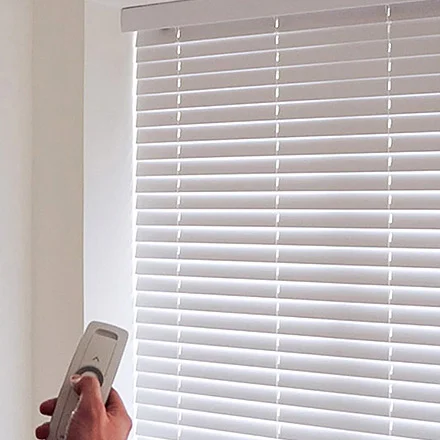
woodenblinds.co.uk

Blinds By Post
+110%
organic Sales
+89%
Organic Clicks
“Building a website felt overwhelming. Icecube Digital delivered an amazing site that matched my vision perfectly. They were incredibly patient with my revisions and questions, making the entire process stress-free. Highly recommend them!”
Luke Hand
www.blindsbypost.co.uk
Visor
+74%
Organic Sales
+45%
Organic Clicks
“Icecube Digital’s mastership with Magento 2 is unbelievable! The website that I used to sell my products was fully managed and optimized by their development and support team in case of updates in no time. But that’s not all! Through their SEO wizardry, my site got the visibility it deserved, which resulted in a significant uptick in website visitors and revenue. Why waste time and money trying to get by when you can experience the power of Icecube Digital?”
James Smith
visor.no
Wooden Blinds
+78%
Organic Clicks
+76%
Organic Impression
“Building a website felt overwhelming. Icecube Digital delivered an amazing site that matched my vision perfectly. They were incredibly patient with my revisions and questions, making the entire process stress-free. Highly recommend them!”
Luke Hand
woodenblinds.co.uk
Blinds By Post
+110%
organic Sales
+89%
Organic Clicks
“Building a website felt overwhelming. Icecube Digital delivered an amazing site that matched my vision perfectly. They were incredibly patient with my revisions and questions, making the entire process stress-free. Highly recommend them!”
Luke Hand
www.blindsbypost.co.uk
Let’s Work Together
Get a Free Quote
We’re thrilled to connect with you! Whether you’re looking to elevate your digital presence, innovate your brand, or explore new opportunities in the digital landscape, we’re here to make it happen.


Why Wrong-Size Blinds' Orders Start on the
Measuring Screen
Stores tend to file their blinds measuring guide under “Help,” as an article people read before ordering. The customer doesn't see it that way. For them, the size fields on the product page are the measuring guide, and whatever those fields accept goes straight onto the production sheet.

Where Customers Get Their Measurements Wrong
Ask any blinds customer service team, and the list sounds familiar. Width and drop get swapped. An inside mount is ordered for a frame only an inch deep. The customer subtracts clearance, then the factory subtracts it again. Someone measures once across the middle of a window that's narrower at the top. Centimeters end up in an inches field. Or an outside mount comes in at exactly the frame width, so light leaks down both sides. Each of these mistakes has a home on the form. Fix the field where it happens and most of it goes away.

The Real Cost of One Wrong-Size Blind
A roller shade cut 2 inches too narrow has no second buyer. Its fabric was cut for one window and its tube trimmed to match. Making it again means buying the materials a second time, booking another slot at the factory and paying for freight twice over. Meanwhile the customer starts the lead time all over again. Stores that cover measuring mistakes under a guarantee absorb all of that themselves.

Signs Your Measuring Flow Is Causing Remakes
Your support inbox usually spots this first. If people keep writing in to ask “is drop the same as height?” or “do I take anything off for inside mount?”, those labels aren't doing their job. Analytics fills in the rest. Watch for visitors who reach the size step and bail, or who click back into the width field again and again before they finally add to cart. And when remake requests pile up on one product, the drawing or instruction for that product is the first thing to check.
Mapping the Measuring Steps Before
You Design It
Sketching screens comes later. Start with a plain question: who is holding the tape, and when? The factory's order form comes right after that.

Measuring Before the Order vs During It
Some shoppers turn up with a notepad of sizes already written down. Plenty of others only realize they need a tape measure once they reach the size fields, and they leave to go and find one. If the sizes are already on paper, typing them in should take seconds. Everyone else will be reading instructions on a phone while standing at the window, and when they return they'll expect their fabric to still be selected. The size step also has to sit comfortably inside the product page around it, which is covered in this guide to blinds website design.

Homeowners Ordering One Blind vs Installers Ordering Twenty
Someone buying one bedroom blind likes pictures and a bit of hand-holding. An installer with 20 shades to order for a new build has no time for it. Give them a grid with a row per window, a room name and two size boxes, then let them check out. Where a store sells to both, the guided flow stays the default and trade logins switch to the grid.

What the Factory Needs From Every Order
Get a copy of the manufacturer's order form before any screen is drawn. Somewhere on it you'll find a box for mount type and another for control side, next to the finished sizes. Many forms also ask whether the width given is the window or the blind. If the website collects “window width” and the factory reads it as “blind width,” every inside mount order is off by the deduction. Agreeing on field names at this stage avoids that.
Step 1: Let Customers Pick Inside vs Outside
Mount Blinds First
Inside or outside changes where the tape goes, so ask it before anything else. Stores that collect sizes first and mount type second end up with wrong size blinds on a regular basis. Bear in mind, too, that plenty of homeowners have never heard the terms inside vs outside mount blinds until they land on your product page.
Visual Mount Selectors With Real Window Photos
Two large picture cards beat a dropdown here. Show a blind tucked into a white frame beside one hung on the wall above it, and most people get the idea without reading a word. After a tap, make the chosen card unmistakable. A thick orange border with a check mark works. A faint gray outline does not.
Explaining Inside vs Outside Mount in One Line
Keep the caption under each title to a single line:
- Inside mount: “Fits snugly inside the frame. Clean, built-in look.”
- Outside mount: “Hangs over the frame. Covers more glass and blocks more light.”
Put the longer comparison behind a “Which should I choose?” link. People who care will tap it. Everyone else picks a card and keeps going.
When to Ask How Deep the Window Frame Is
Depth is irrelevant for outside mount, so the question only appears after inside mount is picked. Next to the depth box, state the minimum for that product, something like “Needs at least 2 inches of depth to fit inside the frame.” If a customer types 1 1/4, don't just let it through. Suggest outside mount right there. With shutters the margin is even tighter, because the louvers swing into that space when they open, which is why depth gets extra attention in shutters website design and development.
Step 2: Getting Custom Size Input Right in
Two Small Boxes
Two little boxes, width and drop, cause more remakes than anything else on the page. Good custom size input ecommerce design stops many of them through labeling and input types alone, long before a validation rule has to step in.

Labeling Width and Drop So They Can't Be Swapped
Put width first, every time, on every product. Then write the direction into the label: “Width (left to right)” and “Drop (top to bottom).” Skimmers get extra help from a tiny arrow icon pointing the right way. And drop the word “length” altogether, since customers can't agree on whether it means across or down.

Fraction Pickers vs Free Text for Inch Measurements
On a US tape measure, most people read to the closest eighth of an inch and jot down something like “34 3/8.” Pair a whole-number box with a dropdown of eighths and that is exactly what reaches your database. Trade users who type fast may prefer free text. That's workable, provided the system knows “34-3/8”, “34 3/8” and “34.375” all mean one size.

Where to Place the Unit Switch
An “Inches | cm” toggle belongs right above the size fields. Hidden in a header menu or the footer, it's missed. US stores default to inches. Flip the toggle after typing and the numbers should change where they sit. 34 3/8 inches turns into 87.3 cm, and nothing gets cleared.

Fields for Three-Point Measuring
Frames are rarely perfectly square, which is why inside mount instructions ask for the width at the top, the middle and the bottom. Rather than leaving the customer to pick one, give them three small boxes and a line beneath: “Smallest width used: 34 1/4 in.” Now the rule is on screen instead of buried in a help article. The same idea applies to drop, as long as the form says which reading your factory wants for that product. In practice this logic belongs in the configurator, set up as part of blinds product configurator development, where the chosen width goes on to price the blind and fill in the production sheet.
Step 3: Put the Blinds Measuring Guide Where the
Tape Measure Is
Few people will open a separate help article while balancing on a step stool with a tape measure. On most blinds sites that means putting the instructions right next to the fields, not three clicks away.

Diagrams Beside Each Field
A line drawing of the window, placed beside the size fields, shows exactly where the tape goes for the product and mount type selected. The better versions react to the cursor. Click into width and the three width lines on the diagram turn orange; click into drop and the vertical lines light up instead. A Roman shade, a vertical blind and a cellular shade each get their own drawing, because the measuring points aren't the same.

Short Measuring Videos by Window Type
Drawings struggle with some things. Where do you hook the tape on a deep wooden frame? What about a window crank sticking out into the recess? A clip of under a minute, filmed at an actual window, settles those questions quickly. Make one for inside mount, another for outside mount and a third for deep recesses rather than one long video. Turn on captions as well, because a lot of phone viewing happens on mute.

Expandable Tips vs Popups
Help that opens beneath the field keeps the customer exactly where they were. A popup pulls them away. On a phone it can even sit right on top of the box they were halfway through filling in. A modest “How to measure width” link that slides open a few lines of text underneath does the job better.

A Printable Blinds Measuring Worksheet for Whole-House Orders
Customers measuring a whole house often prefer paper. Lay out the blinds measuring worksheet with a row for every window. Each row needs room for the name of the room and the three width and three drop readings, plus a box to tick inside or outside. Then match the order of the online fields to the sheet, so nobody copying from paper has to hunt for where each number goes.
Step 4: Catching Bad Sizes Before They
Reach the Factory
Good labels won't save you from everything. Someone will still type 109 into the width box for a fabric your supplier only makes up to 96 inches wide, and how the page reacts at that point matters a great deal.
Checking Each Field as Soon as the Customer Leaves It
Run the check the moment the cursor moves out of the width box. Chances are they haven't put the tape down yet, so re-measuring takes ten seconds. Compare that with a form that waits for “Add to cart.” Up comes a pile of red text at the top of the screen, a long way from the box that caused it. By then they might have spent five minutes on fabric and control options for a blind that could never have been made.
Writing Error Messages Customers Can Act On
Same mistake, two ways to respond:
- Weak: “Invalid input.”
- Clear: “We can make this fabric up to 96 inches wide. Pick one of our wider fabrics, or split the window into two blinds.”
The weak one leaves people guessing. With the second, nobody has to guess. Behind the scenes, that 96 shouldn't be typed into the message by hand; have it read from the product record instead. Then if a supplier raises the maximum to 100 next season, the message is right without anyone remembering to edit it. For how those limits tie in with price grids, see the blinds price calculator and configurator guide.
When a Size Looks Odd but Isn't Impossible
A drop more than twice the width can be perfectly real on a tall, narrow window. So can an outside mount that matches the frame exactly, although that one usually means someone forgot the overlap. Blocking these would annoy the people who measured correctly. A quick question works better: “Your drop is more than twice your width. Is that right?” Two buttons underneath (“Yes, that's correct” and “Let me check”) leave the call with the customer.
Step 5: Read It All Back
Before the Cart
A width and drop that got swapped three screens ago are hard to notice, until the page spells them out in a sentence. That's the whole job of the review screen.

Same Words as Earlier, Plus a Small Picture
Don't rename anything at this stage. A customer who picked “Inside mount (inside the frame)” two steps back should see that phrase again, word for word, and the width row can add a note like “(smallest of 3 measurements)” so they remember where 34 1/4 came from. Next to the text, drop in a thumbnail of the mount drawing. A blind shown hanging outside the frame jumps out at someone who meant inside, even when they only skim the words.

A Checkbox That Makes People Look Again
Above the add-to-cart button sits one checkbox: “I've measured in inches and checked my width and drop.” It costs the customer a second. Pausing for it is sometimes exactly when a customer spots that width and drop are reversed. And if a remake claim arrives a month later, the order shows the box was ticked.

Letting Customers Fix One Line Without Losing the Rest
Put an “Edit” link at the end of every row. Tapping the one next to width should open the width box and nothing else; fabric, color and controls stay exactly as chosen. Some flows wipe everything when a size changes. After that happens once, customers stop correcting mistakes, because redoing ten minutes of choices feels worse than taking a chance.
Making the Measuring Flow Work on a Phone and
for Every Customer
Think about how people actually measure. Usually that means phone in the left hand, tape in the right, perched on a step stool by the window. Add in customers who browse with a screen reader or bump their phone's text size up, and the size step has a lot to cope with.

Big Tap Targets and the Right Keypad
Tapping into a size box should bring up the number keypad. Nobody wants to hunt for digits on a full keyboard with one thumb. Fraction pickers and buttons need space around them too. The WCAG 2.2 floor is 24 by 24 CSS pixels per target, and on a phone it pays to go well past that. Short screens with one “Continue” button pinned to the bottom mean the next step is always where the thumb already is.

What Screen Reader Users Need From the Form
Placeholder text looks tidy in a mockup. The trouble starts when the customer begins typing and the hint vanishes, leaving an unlabeled box. A real label sitting above each field avoids that. Contrast deserves a quick check as well (WCAG level AA asks for 4.5:1 on normal text). For screen reader users, the developer ties each error message to its field in the code, which is what makes the reader announce it. And an error is never shown with red alone.

Picking Up Again After the Tape Measure Hunt
It happens all the time: fabric chosen, size step reached, then off they go to find a tape measure in the garage. An hour later they're back. If the fabric, mount type and half-typed width are still waiting, they finish the order. If the page has forgotten them, a fair few won't bother. A small banner (“We saved your measurements from earlier”) lets them know straight away.
Want a second pair of eyes on your size step? Tell us about your products and your factory's order form.
Presenting a Blinds Measuring
Guarantee and Measure Visits
No measuring flow catches everything. The way a store handles the leftover mistakes shapes both buying confidence and remake costs.
Where the Fit Guarantee Belongs on the Page
A blinds measuring guarantee does the most good at the moment of doubt, which is beside the size fields and again on the review screen. Tucked into the footer, it reassures nobody. Retailers structure these differently. Blinds 2go, for example, sells SureSize as an optional paid add-on that covers one remake for a measuring mistake within a set number of days. Whatever the terms, a short line on the product page links to the full conditions.
Offering a Professional Measure Visit
Some customers would rather not measure at all, especially for shutters, motorized shades or a full-house order. A “Book a free measure visit” link beside the size fields gives them a way forward. If you run a showroom or an installation team, point that link at your consultation booking system for blinds showrooms and the customer can choose a slot right there, no phone call needed.
A Remake Request Flow With Photo Upload
Sooner or later a blind will arrive that doesn't fit. Rather than a back-and-forth over email, give the customer a short form. Ask for the order number and which item it is, what size turned up and what size it should have been. Then ask for two or three photos with the tape measure stretched across the frame. More often than not, those photos settle whether the customer mismeasured or the factory slipped. Logging each request by product and by field also shows which part of the measuring flow needs attention next.
Decisions Your Developer
Will Ask About
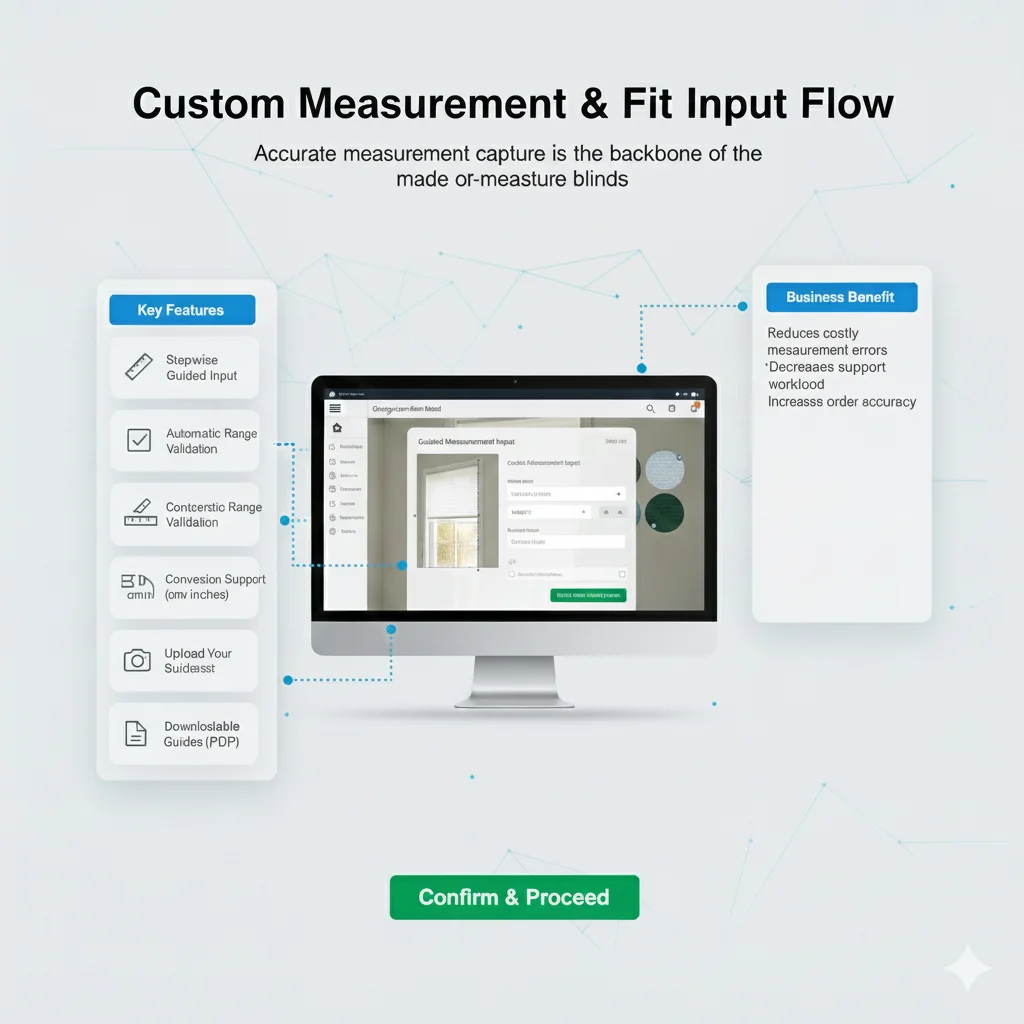
Underneath all these screens sit a few technical choices, and they apply whatever the store runs on. Settle them at the start and you avoid the classic gap where the site shows one number and the factory cuts another.
- One stored unit: sizes are saved in a single unit, usually the factory's, and converted only for display.
- Rounding rules: if the factory rounds 3/16 down to 1/8, the website does too. Write the rule into the product setup so nobody has to remember it.
- Deductions in one place: pick who takes off the inside mount clearance, the website or the factory, and make sure it happens once. The customer never does it.
- Product-level limits: minimum and maximum sizes, recess depths and ratio warnings are stored per product or fabric, so error messages always show the right numbers.
- Production sheet mapping: each measuring field maps to a named column on the factory's sheet, including a note on whether the width is the window size or the finished blind size.
Measuring UX Checklist to
Reduce Blinds Returns
Run through this list when reviewing an existing measuring flow or briefing a new one. Each line removes a known cause of remakes and helps reduce blinds returns linked to sizing:
Mount type is chosen before any size is entered
Inside and outside mount appear as picture cards with one-line explanations
Recess depth is asked only for inside mount, with the minimum shown
Width always comes first, and both labels state the direction
Inch fields use fraction pickers to the nearest 1/8 inch
The unit switch sits above the size fields and converts values on screen
Three-point measuring shows which value will be used
A product-specific diagram sits beside the fields and highlights the active one
Measuring videos and a printable worksheet are one tap away
Each field is checked as soon as the customer leaves it
Error messages state the problem, the limit and a next step
Unusual sizes trigger a soft warning instead of a block
The review screen repeats every choice with its own edit link
A confirmation checkbox sits above the add-to-cart button
Size fields open the number keypad on mobile
Labels stay visible and errors are announced to screen readers
Progress is saved for customers who leave to measure
The fit guarantee appears beside the size fields and on the review screen
A measure visit option is offered for unsure customers
Remake requests are collected online with photos
What Sets Icecube
Digital Apart?
Icecube Digital works on made-to-measure stores for blinds, curtains and shutters, and we plan the measuring step alongside checkout and production rather than leaving it until the end.
Live Configurator With Guided Measuring
Visor's configurator takes customers from size entry through options to a live price without leaving the page.

Stores Where Customers Do Their Own Measuring
Blinds By Post customers measure at home, order online and get their blinds delivered, with no showroom visit at any point.

Design and Development From One Team
The people who design the measuring screens also build the logic behind them, so the finished store matches the mockups.

Production Data That Matches the Factory
We match each measuring field to a column on the order sheet your manufacturer already works from.
Built for Phones and Screen Readers
Size steps laid out for one-handed use and checked against WCAG.

Support After Launch
When your supplier changes a maximum width or you add a new fabric, we update the limits and help text to match.
Conclusion
Most wrong-size orders don't need a clever fix. They need mount type asked first, width and drop labels nobody can misread, a drawing beside the box, error messages that say what to do and a summary that reads everything back. Each one is a small change. Put together, the size step stops being where remakes come from and becomes one of the parts of the order you worry about least.
If you'd like a second pair of eyes on your current size step, Icecube Digital can review it screen by screen and help design and build the fixes, from a single configurator to a full made-to-measure store. Contact Icecube Digital to get started.
Hear What Our
Clients Have to Say!
“When we set out to rebuild all six of our websites into a WordPress with WooCommerce framework, we knew we would need a business partner that would be with us for the long haul. Ice Cube Digital has been there for us and continues to work with us every step of the way. From designing our sites to launching them, the process has been smooth and trouble free. Ice Cube Digital has always been available anytime we had questions, and issues are always resolved in a timely manner. We are especially happy with the SEO work they have performed, and our maintenance agreement with them that allows us to keep on top of our businesses, instead of worrying about keeping on top of monthly site and plugin upgrades. If you are looking for a complete and cost effect business partner, Ice Cube Digital is your team!”

Christian Marcello
COO at Werks Company. LLC
Blinds Measuring
Guide FAQs
Should the blinds measuring guide also have its own page?
Have both. Google needs something to rank for “how to measure for blinds”, and your support team needs a link they can drop into a reply. There are also people who go round the whole house with a tape before choosing a single fabric, and they'll use that page too. The product page version can be much shorter, since it only has to cover the blind in front of them.
Do curtains get measured the same way as blinds?
No. With curtains you measure off the track or the pole rather than the window frame. How long they should be is a style choice as much as a measurement (sill length, just below the sill, or right down to the floor). Then there's fullness, which adds width on top of the track length. So a curtain flow asks about the track and the finish point first, and only then for numbers.
What changes in the measuring flow for motorized blinds?
A couple of extra questions, mostly. You'll need to know where the power comes from, left side or right, and whether there's enough depth for the motor housing. Keep those hidden until someone actually picks a motor, otherwise everyone ordering a standard chain-operated blind has to wade through them.
Are camera or AR measuring tools accurate enough for made-to-measure orders?
Not yet, for most stores. A phone app can give a ballpark width and let someone preview a blind in the room, and that's genuinely useful. The trouble is consistency: move the phone a little or change the light and the number moves too. When the factory works to the eighth of an inch, you still want a tape measure reading on the order.
Is there a way to see which measuring aids people really use?
Track them. Set up a separate analytics event for each aid (diagram clicks, video plays, worksheet downloads, help panel opens) and leave it running for a month or two. Then compare against completed orders and remake requests. The aids that show up before good orders are earning their place, and the ones nobody opens can go.
Who should sign off the measuring wording before launch?
Get the factory to read it first. Say the site tells customers to “measure the exact recess” while the factory assumes they've already deducted. Every inside mount order is now wrong, and it's the wording's fault. Once the factory is happy, hand it to whoever runs customer service, who will spot phrases that match the questions they answer every week. The person who built the screens gets the last look, mostly to check that each line landed in the right spot.
Should a new measuring flow go live on every product at once?
Better not. Pick one product, or one category, and move just that over while everything else stays on the old flow. Give it a few weeks. If remake requests and support questions go down and orders hold steady, widen it. Orders already in production keep their original sizes either way.
Which window types need their own measuring instructions?
Anything that isn't a plain rectangle in a wall. A bay window turns one measurement into three. Skylights sit at an angle, French doors have handles in the way and arched tops need a different shape altogether, so inside mount may not even be an option. Give each of these a short set of instructions and link them from the main diagram, which keeps the everyday flow clean for everyone with ordinary windows.
Our
Achievements
Clutch
5.0 ★★★★★
Rated 5.0 Stars by Clutch – Exceptional service with top-tier client satisfaction.
Glassdoor
5.0 ★★★★★
5.0 Stars on Glassdoor – Our team values a positive and thriving work environment.
Goodfirms
4.9 ★★★★★
4.9 Stars on GoodFirms – Recognized for delivering outstanding results in every project.
4.8 ★★★★★
4.8 Stars on Google – Trusted by clients for consistent quality and excellence.
Our
Trusted Clients
Clients who have worked with. They trust IceCube Digital for over 10 years.















Countries
We Serve
 United States
 South America
 United Kingdom
 Canada
 Australia
 Germany
 Dubai
 Singapore
 South Africa
 Sweden
 Netherlands
 Japan
 Norway
 Finland
 France
 Ireland
 Spain
 Italy
 India
Ready to Grow Your Business? Let's Build Something Amazing Together!