
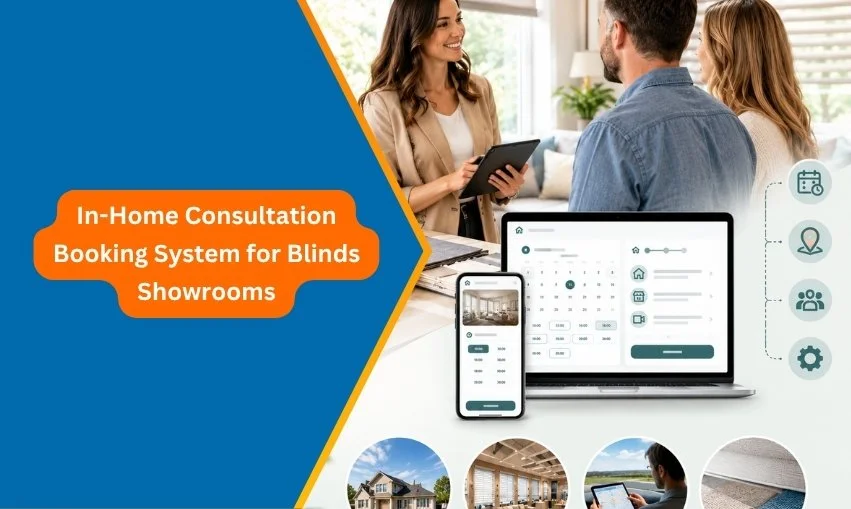
Phone calls and contact forms leave a gap between the first inquiry and the booked visit. Many inquiries come in after the showroom has closed, and the callback the next morning sometimes reaches a homeowner who has already booked with another showroom.
A consultation booking system closes that gap, because the customer books the slot directly. The sections below cover booking portal features for blinds showrooms, the systems a portal connects to, booking options on WordPress, Shopify and WooCommerce, and the stages of a custom portal build.
Showrooms planning a full rebuild, not just a booking add-on, can start with this overview of blinds and curtains website design and development, which shows booking alongside product pages, galleries and quote forms.

See How Our Experts Can Drive More Traffic to Your Website!
SEO: Boost your rankings and drive more organic traffic today!
Website Design/Development: Create a stunning website that converts visitors into customers.
Paid Media: Reach the right audience at the right time with expertly managed paid media.
Why Phone and Email Booking Costs Blinds Showrooms Consultations
Phone and email remain useful, and some customers will always prefer them. Problems start when they are the only way to book, because each consultation then waits on a staff member being free at the exact moment the customer calls or writes.
Missed Calls and After-Hours Inquiries
Window treatment research mostly happens in the evening and at weekends, when homeowners are home and standing in front of the windows in question. Showrooms are usually closed then. A contact form submitted at 9 pm sits in the inbox until the next working day, and by then the same customer may have sent forms to two or three other showrooms.
Opening hours bring a different problem. Floor staff are with walk-in customers, consultants are out on appointments and calls roll to voicemail. Not every caller leaves a message.
Back-and-Forth Scheduling
A phone or email booking normally takes several messages. The showroom checks the consultant’s calendar, offers two or three times and waits for a reply. When a second household member also needs to be home, the whole exchange starts again, and each day of waiting is another day for the customer to lose interest or book elsewhere.
No-Shows and Last-Minute Cancellations
Phone bookings often come with no written confirmation and no reminder, so the appointment is easy to forget. If rescheduling means calling the showroom, some customers simply skip the visit, and the consultant loses both the slot and the drive.
Core Features to Build Into a Blinds Consultation Booking System
A calendar on a web page is only the starting point for an online booking portal. For a window treatment business, the features below determine how much admin work the portal actually removes.
Real-Time Availability Synced With Consultant Calendars
Free times appear on the booking page, and a slot disappears as soon as someone books it. The portal gets this availability from each consultant’s own calendar instead of a schedule kept up to date by hand. Hand-kept schedules fall behind in busy weeks, and double bookings follow.
Travel time should be part of the availability rules. With a buffer after each visit, the system won’t place a consultant across town straight after an appointment that ran over.
Zip Code Checks and Territory-Based Consultant Assignment
The zip code is the first question in the booking flow, before any times are shown. Addresses outside the service area are offered a showroom appointment or a video call in place of an in-home visit.
The same check can handle territories. Where consultants cover separate parts of the area, the zip code selects which consultant’s calendar appears, and the booking lands with that consultant without manual reassignment.
Separate Appointment Types for In-Home, Showroom and Virtual Visits
Booking needs vary. One customer wants to see fabrics at the showroom before anything else, another wants a short video call about options, and a third is ready for a full measure and quote at home. As separate appointment types, each gets its own length, availability and confirmation message. A short call then doesn’t take up the time needed for a full home visit.
Booking Forms That Collect Room and Window Details
Answers from the booking form reach the consultant before the visit. Typical questions ask for the number of windows, the rooms, the products of interest and any interest in motorization. With an optional photo upload, details such as an arched or bay window are visible in advance, and the consultant packs the right samples.
Four or five questions is a practical limit for most forms. Conditional fields show extra questions only after an answer that calls for them, such as a yes to motorization.
On websites that also sell online, a customer who has priced a blind can bring those selections into the booking form. Fabric, control type and approximate sizes are then on the consultant’s screen before arrival. This handoff can be built as part of blinds product configurator and price calculator development, with the saved configuration passed to the booking step.
Self-Service Rescheduling and Cancellation Links
Every confirmation and reminder carries a link for rescheduling or cancelling without a phone call. Changes reach the showroom earlier, and the freed slot goes back on the calendar for another customer. With a cut-off rule, for example 24 hours before the visit, the link switches off once the slot can no longer be refilled.
Admin Dashboard and Consultant Mobile View
The admin dashboard lists every upcoming consultation for showroom staff. Filters by consultant or location, notes and manual booking for customers who phone in are all handled from the same screen.
On the consultant side, a mobile view shows the day’s appointments, each customer’s form answers and photos, and directions to each address. Visit outcomes are recorded from the same view on the consultant’s phone.
Booking Plugin, Scheduling Tool or Custom Portal: Which Fits Your Showroom?
Booking is usually added to a blinds website in one of three ways. The choice comes down to the number of consultants and locations, and to how closely booking has to connect with other systems.
| Option | Best for | Strengths | Limits |
|---|---|---|---|
| Booking plugin or app | One showroom on WordPress, WooCommerce or Shopify | Lives inside your site, quick to set up, low running cost | Limited support for territories, multiple locations and CRM sync |
| Hosted scheduling tool | Small teams that want booking live fast | Calendar sync and reminders usually included; works with most sites | Embedded or linked, so design and data sit outside your site; often billed per user |
| Custom booking portal | Multi-location showrooms, larger teams and franchise groups | Built around your territories, appointment types and CRM; matches your site | Higher upfront cost and needs ongoing maintenance |
Single showrooms usually start with a correctly configured plugin. A custom booking portal takes over when territories, extra locations or CRM rules need workarounds beyond what the plugin supports. CRM refers to the software that stores customer and sales records.
A custom portal adds to the build budget. The guide to blinds website cost breaks down the effect of booking, configurators and integrations on the overall price.
Integrations That Connect Your Booking Portal to the Rest of the Business
Most of the time savings from a booking portal come from its connections to the tools a showroom team already uses. The main integrations are below.
Google Calendar and Outlook Sync
Calendar sync keeps the booking page and each consultant’s Google or Outlook calendar up to date with each other. If a consultant blocks out time for a large commercial job, those hours are removed from the booking page automatically. New bookings are added to the consultant’s calendar with the address and form answers included.
CRM and Lead Management Integration
With a CRM connection, each booking creates a customer record holding the contact details, form answers and appointment date. The consultation, the quote and the final order then sit in one place. After a few months, the CRM also shows how many booked consultations became sales.
Email and SMS Confirmations and Reminders
A new booking triggers a confirmation by email and text with the date, time, address and consultant’s name. Reminders go out the day before and a few hours before the visit, each with the reschedule link. Connected to the showroom’s email and SMS tools, the portal can also send the quote after the visit and a follow-up message if the customer hasn’t replied.
Payment Gateways for Consultation Deposits
Some showrooms take a refundable deposit or a card hold when a customer books, often for visits that involve a long drive. A payment gateway, which is the service that processes card payments, such as Stripe or PayPal, can be connected to take the deposit during booking. The gateway handles the card details, so they are not stored on your own site. The deposit can later be credited against the order and recorded in the CRM.
Google Business Profile Booking Links
Google Maps is often where homeowners first find a showroom. Google Business Profile has an appointment link field, and that link should go to the booking page rather than the homepage. Tracking parameters on the link show how many bookings start from the listing. Some scheduling providers also connect with Google so customers can book directly from the listing.
Adding Online Booking on WordPress, Shopify and WooCommerce
The method for adding booking changes with the platform behind the website. WordPress, Shopify and WooCommerce each support consultation booking with the right setup.
Booking Plugins and Custom Builds on WordPress
WordPress has a wide range of established booking plugins that handle staff calendars, appointment types, reminders and payments. A WordPress booking plugin is usually the quickest option for a showroom with one location. Territory routing or a direct CRM connection usually means extending the plugin, or building a custom booking module that runs inside the current theme.
Booking Apps and Custom Integrations on Shopify
Shopify stores selling blinds can take consultation bookings in the same store. A Shopify booking app from the Shopify App Store adds showroom and in-home visit slots, and some apps collect deposits through the Shopify checkout. A custom app goes further, connecting Shopify directly to consultant calendars and the CRM. A team that provides Shopify development for blinds stores can review the current setup and confirm whether an existing app covers it or a custom integration is needed.
WooCommerce Booking for Paid Consultations and Sample Orders
On WooCommerce, booking and online sales share one platform. The WooCommerce Bookings extension turns a consultation into a bookable product, and a paid visit or deposit goes through the same checkout as fabric samples and accessories. Customers keep a single account, and bookings and orders appear together in the WooCommerce admin.
How a Custom Booking Portal Is Built: From Requirements to Launch
Appointment booking system development follows a set order of stages. With the stages known in advance, it is easier to plan the time your team will need to give the project.
1. Requirements and Booking Rules
The first stage documents how consultations are booked today and what has to change. Appointment types, service areas, territories, buffer times, the booking window and the details consultants need before each visit are all agreed here.
2. Booking Flow and Screen Design
The booking process is then designed screen by screen, starting with the mobile version because many homeowners book from their phones. This stage also decides where the booking button appears, usually in the header, on product pages and on service area pages, with the same wording on each.
3. Development and Integrations
Next, the portal is built and connected to calendars, the CRM, messaging tools and payment gateways. On sites that already sell online, this stage often ties booking to the store as well, for example through WooCommerce development for blinds businesses, so consultations and orders run through one checkout.
4. Testing Every Booking Path
Test bookings run on desktop and on several phone models. The test list includes out-of-area addresses, reschedules and cancellations, along with a check that each confirmation, reminder and CRM record arrives. Someone from outside the business also books without help, which shows up any confusing steps.
5. Launch and Staff Training
Before launch, showroom staff and consultants practice on the dashboard: booking for phone callers, viewing schedules and recording visit outcomes. After launch, the booking link goes on the Google Business Profile, email signatures and social profiles.
6. Ongoing Maintenance and Updates
Platform and plugin updates continue after launch, along with periodic checks on the calendar and CRM connections. Appointment types and service areas change over time and are updated in the system. A monthly look at booking data points to form questions or steps that could be cut.
Conclusion
Consultations are where a homeowner’s interest becomes a quote, which ties the booking process directly to the number of quotes a showroom sends. A consultation booking system built around how your team works cuts missed inquiries and wasted visits.
Icecube Digital plans window treatment website design projects with booking, quote forms and integrations in place from the start. Contact Icecube Digital to discuss your current setup and adding online booking to your showroom website.
Frequently Asked Questions
How does a booking portal decide how long each consultation should be?
The portal can use the number of windows entered on the booking form to set the slot length. A booking for three windows gets a shorter slot than a whole-house measure, which keeps the consultant’s schedule accurate.
What happens to the measurements a consultant takes during the visit?
If the consultant uses a tablet with a measuring screen linked to your pricing, the measurements go directly into a quote. The consultant enters the width, drop and product for each window, and the system calculates the price. The homeowner can review and approve the quote before the visit ends.
Do interior designers need a separate way to book visits for their clients?
A designer login is useful for showrooms that work with designers regularly. Designers can book visits at client addresses, add project notes and view all the appointments they have arranged. The homeowner still receives the confirmations, with the designer copied in.
Is it possible to book a consultation for a home that is still under construction?
Yes. A new-build booking option can ask for the expected completion or closing date and allow booking further ahead than a standard visit. Some showrooms hold a design meeting at the showroom first and schedule the in-home measure once the windows are installed.
What should a showroom do when every consultation slot is booked up?
A waitlist lets customers choose their preferred dates and receive a text or email when a slot becomes available. During busy periods, such as the weeks before the holidays, cancelled appointments can then be offered to the next customer on the list.
How are Spanish-speaking homeowners matched with a bilingual consultant?
The booking page, form and messages can be translated into Spanish, and each consultant’s profile can list the languages they speak. Customers who book in Spanish are then shown only the consultants who can hold the visit in Spanish.
Which booking setup suits property managers with several units or buildings?
A multi-property booking type allows a property manager to list several addresses or units in one request. The portal can then schedule one longer visit or a series of visits under a single account, with all the quotes stored together.
Will a booking portal slow down product and gallery pages on a blinds website?
Blinds websites already load large fabric images and galleries, so booking code should load only on the pages where it is used, or open in a lightweight popup. Testing page speed on your main product and gallery pages before and after launch confirms that performance has not dropped.

About the author
Bhavin M
Co-founder & CEO
Bhavin M, co-founder of Icecube Digital, spends much of his time creating simple but valuable content that helps eCommerce entrepreneurs grow their business online — sharing practical, no-fluff advice drawn from years of building stores on Magento, Shopify and WordPress.